How do I customize my lesson printouts using the Print feature?
The Print feature allows you to fully customize how your lessons are printed, so you can tailor materials to meet your specific teaching needs. Here’s how it works:
-
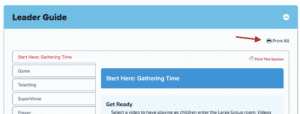
Print the Entire Lesson: Select “Print All” to print the full lesson in one go.
-
Print by Section: Click “Print This Section” to print individual lesson sections separately.
-
Print Specific Parts: You can choose to print only selected parts within a section.
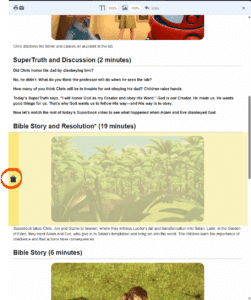
Need to remove a section before printing?
Simply hover over the section you want to exclude and click the trashcan icon (shown below) to delete it from your printout.
This flexible setup ensures you’re only printing what you need—saving time, paper, and making preparation easier.